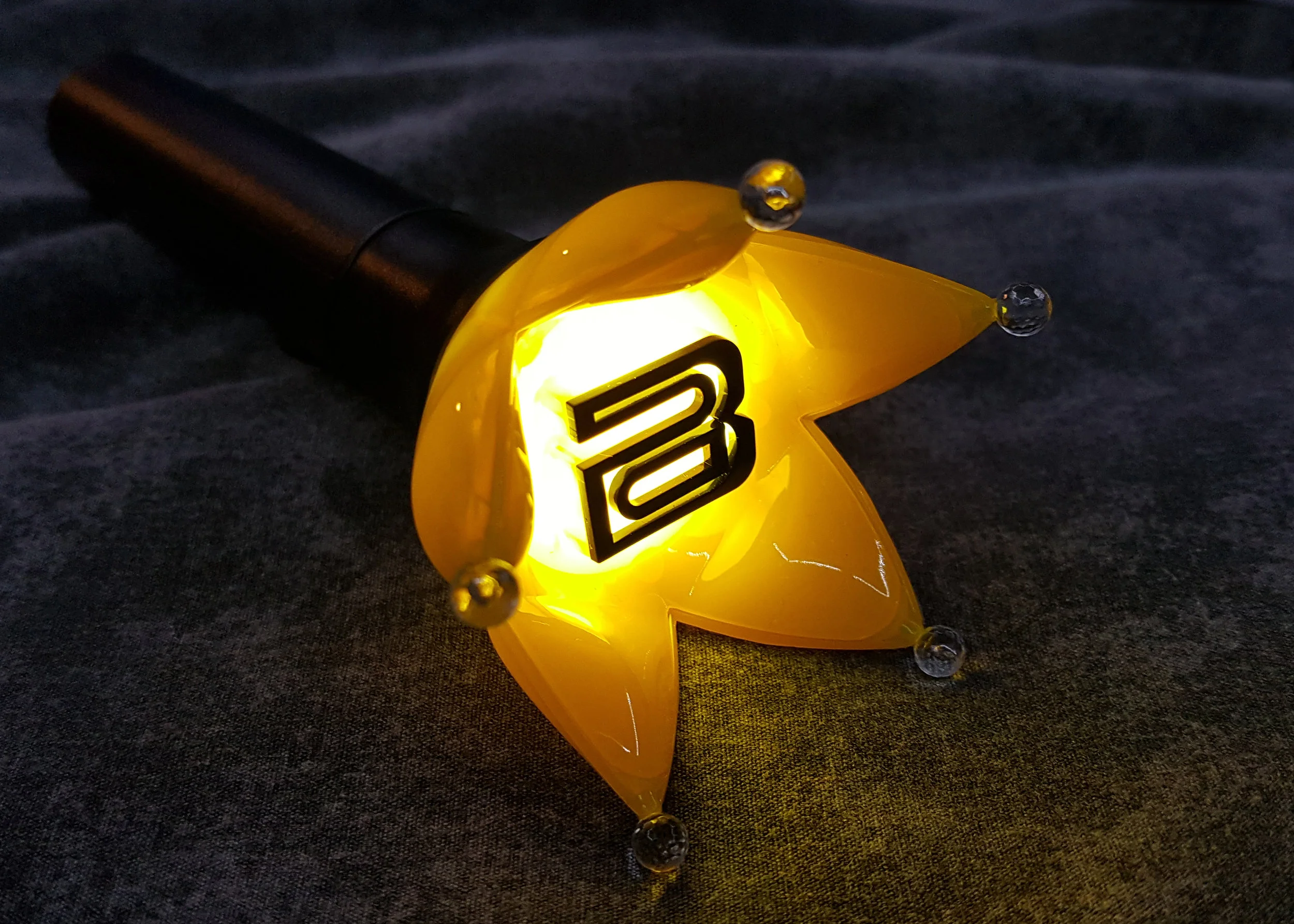
Buying a K-pop light stick in Seoul is easiest when you treat it as a compatibility purchase, not a souvenir hunt. The most important questions are: Is this the official model for your artist? Is it the current version accepted for your concert? Does that version use an official app? And does the event require seat pairing or a separate concert mode? A light stick that looks correct can still be the wrong generation for synchronized venue effects.
This guide focuses on a method that works across artists rather than claiming that every group uses the same app or pairing process. Official Weverse notices show how artist-specific the setup can be. For example, a 2026 TWS concert notice instructed fans to use the latest TWS Official Light Stick app and complete Concert Mode seat pairing in advance. Other artists may use a different app, a different version, or no seat-pairing step at all. Always follow the notice for your actual event.
Start with the exact official product name and version
Before shopping, open the artist’s official community, agency notice or official store page and write down the complete product name. Include version numbers such as Ver. 2 or Ver. 3 when they exist. Do not rely on the color of the box or the shape of the dome alone. Popular artists can have several official generations in circulation, and older versions may still be genuine even when a new concert uses a newer model.
Next, check the concert notice. Look for words such as official light stick user guide, pairing, concert mode, seat information or app update. This is more useful than asking a seller whether “this works at the concert,” because the venue system is controlled by the organizer, not the shop.
If no current concert guidance has been published yet, buy only when the seller clearly identifies the model and accepts normal returns under its policy. Keep the receipt and packaging until you have tested basic operation. Do not throw away a version label because you assume all official sticks from the same artist are interchangeable.
Fans attending a music-show recording rather than a concert should also read the specific participation notice. Our K-pop music show audience guide explains why entry rules are event-specific and can require separate proof or merchandise conditions.
Where to buy in Seoul without chasing one “best” shop
The safest channel is an artist’s official online store, official pop-up, agency store, venue merchandise booth or another retailer explicitly recognized by the artist or label. In Seoul, inventory can move quickly before a concert, so a famous district does not guarantee stock. Myeongdong, Hongdae and other shopping areas have many K-pop retailers, but the important factor is the seller and product record, not the neighborhood.
If you are traveling from overseas, compare four purchase paths:
| Purchase path | Advantage | Main risk |
|---|---|---|
| Official online shop | Clear product identity and official notices | Delivery timing or pickup rules |
| Official pop-up / agency shop | High confidence in authenticity | Queues and temporary stock limits |
| Venue booth | Product is intended for the event | Sell-outs and long lines |
| Independent K-pop retailer | Convenient comparison shopping | You must verify model and seller carefully |
Do not build your entire concert day around buying at the venue. If the light stick is important to you, secure it earlier and test it before leaving the hotel. Venue merchandise can sell out, and batteries, app installation or firmware updates take time.
On-site pickup can be useful when an official store offers it, but pickup windows and identity requirements differ. Read the exact event notice and bring whatever order confirmation or identification it requests.
How to check authenticity without relying on one fake-proof trick
There is no universal sticker, hologram, Bluetooth screen or package detail that proves every K-pop light stick is genuine. Counterfeit manufacturers copy visible details. The strongest check is the purchase chain: an official store, official event booth or a well-established retailer with a traceable receipt gives you more confidence than a marketplace seller using stock photos.
Compare the box and product against current official product images. Look for the exact version name, manufacturer or distributor information, included components and manual. If the seller says “official style,” “fanmade official,” “same factory,” or avoids showing the actual package, treat that as a warning sign.
App connection can be useful, but do not use it as the only authenticity test. Some older genuine models use retired apps; some current apps may require firmware updates; and Bluetooth behavior can differ by phone. The correct question is whether the product matches the official model and works with the current artist guidance.
Price can be a clue but not proof. A large discount immediately before a sold-out concert deserves extra scrutiny, while a high price from a reseller does not make an item genuine. Search the official retail price first so you know the normal range before entering a tourist shopping area.
Test the light stick before concert day
Open the package carefully and confirm that all listed components are present. Install fresh batteries of the type specified in the manual. Turn the light stick on, cycle through any normal lighting modes and check the battery compartment for loose contacts. If there is an official app, install the exact app named in the artist’s official instructions rather than the first similarly named app in an app store search.
Update the app before you leave reliable Wi-Fi. If the product supports firmware updates, complete them with enough battery power and time. Do not wait until you are standing outside a stadium with weak mobile data and thousands of other fans doing the same thing.
For events that use seat pairing, enter the seat information exactly as printed in the ticket system. Section, row and seat formats can be easy to mistype. A 2026 TWS concert notice specifically advised fans to pair in advance because the venue would be crowded. That is a good general lesson even though the exact screen and app are artist-specific.
If pairing fails, first confirm that Bluetooth permissions, location permissions if requested, and the app version are correct. Restarting the phone and light stick can help, but do not repeatedly force random settings if the official guide gives a specific recovery sequence.
Batteries, transport and concert-day practicalities
Light sticks can drain batteries faster in synchronized modes than during a short hotel test. Carry a fresh spare set if venue rules allow it. Store spare batteries so the terminals cannot short against metal objects. Remove batteries for long-term storage after the trip; leaking batteries can damage an expensive collectible.
Airline rules for batteries depend on battery type and carrier policy. Most fan light sticks use removable household batteries, but rechargeable models or power banks can have different rules. Check your airline rather than treating a fan forum answer as universal aviation guidance.
Before entering the venue, attach any wrist strap supplied with the product. During the show, keep the stick within your own space and follow staff instructions. Synchronization effects only work well when fans use the supported mode, so do not force a custom flashing mode if the organizer asks for concert mode.
After the concert, turn the light stick fully off before packing it. If you will not use it for weeks, remove disposable batteries. Keep the box if you care about collecting or resale value.
What to do if stock is sold out in Seoul
Do not panic-buy the first listing you see. Check the official store again, the artist’s official notice feed and venue merchandise information. Restocks can happen, and some events operate on-site pickup reservations. If the event allows attendance without a light stick, going without one is better than spending heavily on an unverified counterfeit.
If you are buying for a future concert in another country, consider whether the destination venue will sell the same version. International tour legs sometimes have different merchandise logistics. The model may be the same, but pickup and synchronization instructions can differ.
For a gift, ask the recipient for the artist and exact light-stick version rather than guessing. A genuine older version may be meaningful as a collectible but not ideal for someone who wants synchronization at a current tour.
Official sources and a five-minute pre-purchase checklist
Use the artist’s official store and event notices as the final authority. The Weverse Shop is one official sales channel for participating artists, while the 2026 TWS official light-stick user guide is a useful example of event-specific app and seat-pairing instructions. Your artist may use a different platform, so follow the equivalent official notice for that artist.
- Exact artist and exact version confirmed?
- Seller is official or clearly traceable?
- Current concert notice checked?
- Correct official app installed, if required?
- Fresh batteries and pairing tested before venue arrival?
If all five answers are yes, the purchase is much less stressful. The goal is not to memorize every counterfeit detail; it is to keep the chain of evidence from official product page to seller to event instructions intact.
Last verified: September 22, 2026. Featured photo: BIGBANG light stick (an illustrative example, not a product-stock or seller endorsement). Photo by Foxy’Stay / Wikimedia Commons, licensed CC BY-SA 4.0. Responsive image resized; no substantive edits.
